
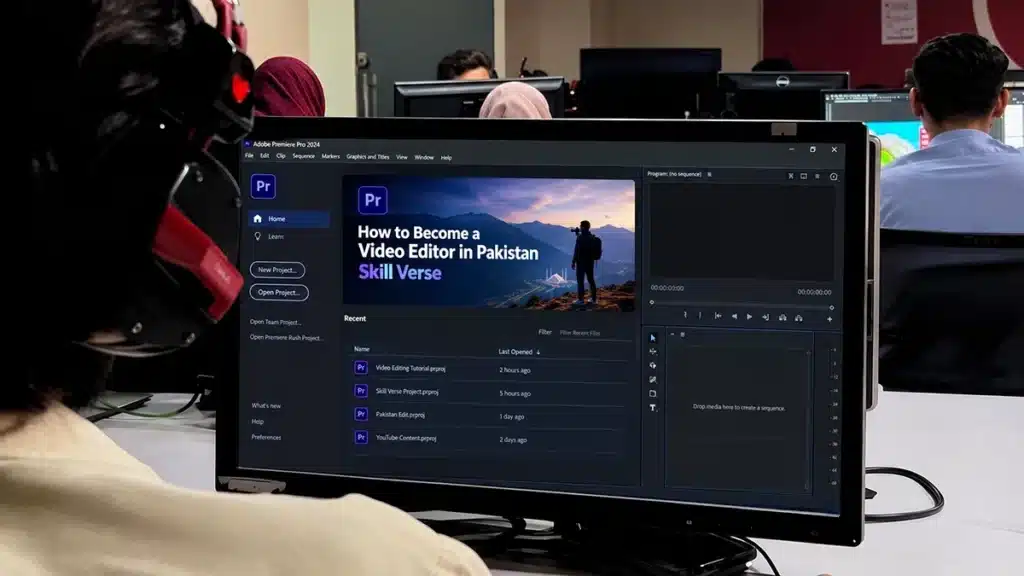
Many beginners in Pakistan want to become professional video editors, but most make the same mistake. They download editing software, watch a few YouTube tutorials, create one video with fancy transitions, and then have no idea what to do next.
Learning editing software is only the beginning. Knowing how to turn raw footage into a video that a business, content creator, or production company is willing to pay for is what makes someone a professional editor.
So, how do you become a video editor in Pakistan?
Start by learning Adobe Premiere Pro, develop your storytelling and editing skills, learn supporting tools such as Adobe After Effects and Photoshop, create at least three professional portfolio projects, and start approaching potential clients.
You do not need an expensive studio or a university degree to begin. What you need is practical training, regular editing practice, a portfolio, and the ability to deliver professional work.
In this guide, we will explain what software to learn, which editing skills matter, how to find your first clients in Pakistan, and how to build a career in video editing.
Step 1: Start With Adobe Premiere Pro for Professional Video Editing
If your goal is to work as a professional video editor, Adobe Premiere Pro is a strong place to start.
Premiere Pro is professional video editing software used for everything from YouTube videos and promotional content to interviews, documentaries, advertisements, and commercial projects.
Unlike basic editing apps designed mainly for quick social media videos, Premiere Pro provides a detailed editing workspace where you can control individual video tracks, audio tracks, effects, colours, sequences, and export settings.
But learning Premiere Pro does not mean memorising every button. It means understanding how a professional editing project works from beginning to end.
What Should Beginners Learn in Adobe Premiere Pro?
1. Understanding the editing workspace
Before using advanced effects, learn how the Project panel, Source Monitor, Program Monitor, timeline, and Essential Sound tools work.
You should know how to import footage, create sequences, arrange clips, and manage separate video and audio tracks.
2. Cutting and trimming footage
Professional editing begins with knowing what to remove.
Learn how to use the Razor Tool, Selection Tool, Ripple Edit, and keyboard shortcuts to remove unnecessary footage without disturbing the rest of your timeline.
For example, imagine receiving a 30-minute interview from a local business. Your job is to turn it into an engaging five-minute video. The challenge is not adding transitions. It is identifying the useful moments and arranging them into a clear story.
3. Working with audio
Poor audio can ruin an otherwise excellent video.
Premiere Pro allows you to adjust dialogue, background music, sound effects, noise reduction, and overall audio balance.
Learn how to make dialogue easy to understand, reduce unwanted background noise, and keep music from overpowering the speaker.
4. Colour correction and grading
Two clips recorded in the same location can look different because of lighting and camera settings.
Premiere Pro’s Lumetri Color tools help you correct exposure, white balance, contrast, and colour differences.
Start by making footage look natural and consistent. Creative cinematic colour grading comes after that.
5. Titles, subtitles, and graphics
Businesses regularly need promotional text, name titles, subtitles, lower thirds, and branded graphics.
Learn how to create readable titles and captions without filling the screen with unnecessary effects.
Premiere Pro also supports transcription-based editing, which can help you find spoken sections and prepare rough cuts of interviews or podcasts faster.
6. Professional exporting and project management
An editor must know how to export the correct file for YouTube, Instagram, Facebook, or a client’s website.
You should also learn how to organise project files, relink missing footage, and save editable projects for future revisions.
Adobe’s official Premiere Pro documentation is a useful technical reference while learning these features.
The goal is simple: before moving to complicated animation, become confident enough to complete an entire video in Premiere Pro without following a tutorial at every step.
Step 2: Learn Adobe After Effects, Photoshop, and the Supporting Adobe Workflow
Premiere Pro is the main editing tool, but professional video production often involves more than arranging clips.
That is why learning complementary Adobe applications can make your editing skills more valuable.
At SkillsVerse, our video editing training focuses on Adobe Premiere Pro, After Effects, and Photoshop.
Here is how these tools fit together.
| Adobe Software | Main Purpose | Example of Professional Use |
|---|---|---|
| Adobe Premiere Pro | Video editing, storytelling, sound and colour | YouTube videos, interviews, wedding films, advertisements |
| Adobe After Effects | Motion graphics, animation and visual effects | Animated logos, promotional graphics, tracked text |
| Adobe Photoshop | Image editing and graphic design | YouTube thumbnails, promotional images, design assets |
| Adobe Audition | Advanced audio editing and restoration | Detailed voice cleanup and audio production |
| Adobe Media Encoder | Video encoding and export management | Creating multiple output formats and managing export queues |
Audition and Media Encoder are useful additional tools to understand as your workflow develops. You do not need to master every Adobe application before taking your first editing project.
Adobe After Effects: Add Professional Motion Graphics
A beginner can produce a clean video entirely in Premiere Pro. However, some projects need animation beyond simple titles and transitions.
Adobe After Effects is designed for motion graphics, compositing, and visual effects.
For example, a real estate company in Islamabad might request a property video containing an animated location marker, moving text showing property details, and a branded opening animation.
Premiere Pro can handle the main video editing, while After Effects can create those animated elements.
Some useful After Effects skills include:
- Logo animation and brand intros
- Motion tracking and animated text
- Keyframe animation and easing
- Masking and compositing
- Lower thirds and promotional graphics
- Simple visual effects for advertisements
Adobe’s Dynamic Link workflow also allows compatible Premiere Pro and After Effects projects to share compositions without exporting every animation separately.
But remember: After Effects should support your editing, not replace good editing. A poorly paced video will not become engaging simply because it has expensive-looking animations.
Adobe Photoshop: Create Better Thumbnails and Visual Assets
Video editing does not end with the exported MP4.
For YouTube creators and businesses, the thumbnail or promotional cover can be an important part of how their video is presented.
Photoshop helps editors prepare professional thumbnails, cut out subjects, remove distracting backgrounds, adjust images, and create branded layouts.
Suppose a YouTube client hires you for a complete video package. Delivering a clean edit together with a well-designed thumbnail can make your service more useful than offering video cutting alone.
This is especially relevant for editors interested in YouTube channel management, educational videos, podcasts, and promotional content.
A practical learning order is Premiere Pro first, After Effects second, and Photoshop for the graphic assets your projects need.
You can develop deeper skills in each application as your client work becomes more complex.
Step 3: Understand Why Premiere Pro Is Better Suited to Complex Professional Projects Than CapCut
Many beginners start with CapCut because it is accessible, convenient, and easy to use.
CapCut can create polished social media videos, including professional-looking short-form content. There is nothing wrong with using it for suitable projects.
However, being able to edit a reel is not the same as being prepared for every professional editing assignment.
Imagine a client sends you:
- Multiple camera recordings of the same interview
- Separate microphone audio files
- Several folders of background footage
- Branding assets and animated graphics
- A 20-minute final video requirement
- Detailed feedback requiring multiple revisions
This is the kind of work where a structured professional editing workflow becomes especially valuable.
Where Adobe Premiere Pro Has Important Advantages
Multi-camera editing: You can organise and synchronise footage from different cameras, making interviews, events, and wedding projects easier to manage.
Detailed timeline control: Multiple video and audio tracks allow precise editing, layering, trimming, and adjustments.
Professional colour tools: Lumetri Color provides detailed exposure, white balance, colour matching, and creative grading controls.
Advanced audio workflows: You can manage dialogue, sound effects, music, and more detailed mixing requirements.
Adobe integration: Premiere Pro works with After Effects, Photoshop, and other Adobe applications, making it easier to build an advanced production workflow.
Project handover: Editable project files, organised media, and asset management support collaboration and ongoing client revisions.
CapCut also has desktop editing features, but Premiere Pro is generally a stronger choice when projects require complex timelines, extensive post-production, coordinated Adobe assets, and repeated client changes.
At SkillsVerse, we focus on Adobe-based editing because we want students to develop skills that transfer to more demanding client projects rather than learning only quick templates and automated effects.
For a more detailed software comparison, read our guide on CapCut vs Premiere Pro.
Step 4: Master the Editing Skills That Professional Clients Actually Notice
Software knowledge helps you operate the tools. Editing judgement helps you create better videos.
An editor who understands storytelling and audio can often produce a more effective video with simple cuts than someone who adds transitions to every scene.
Focus on these six professional skills.
1. Storytelling and Video Pacing
Every video needs a reason for viewers to keep watching.
For a YouTube interview, that may mean removing long pauses and placing an interesting statement near the beginning.
For a restaurant advertisement, it may mean showing the finished meal before introducing the cooking process.
Practise cutting on action, using J-cuts and L-cuts, arranging B-roll, and selecting shots that support what the viewer is hearing.
2. Professional Footage Organisation
Professional editors often manage dozens or hundreds of media files in one project.
Use consistent folder names for footage, audio, music, graphics, project files, and exports.
A simple folder structure could look like this:
- Project Name
- Raw Footage
- Audio and Music
- Graphics
- Premiere Pro Project
- Exports
- Client Feedback
This becomes especially important when another editor needs to open your project or a client requests revisions weeks later.
3. Audio Editing and Sound Design
Learn how to clean dialogue, balance music, apply sound effects, and maintain consistent listening levels.
A wedding highlight might need music that rises during emotional moments. A business interview needs clear dialogue with limited background distractions.
Always test the finished audio using more than one listening device, including headphones and a phone speaker.
4. Colour Correction and Colour Grading
Colour correction makes different shots look consistent.
Colour grading creates a particular visual style.
Learn the difference before applying cinematic LUTs. Fix exposure and white balance first, then adjust the visual mood.
5. Motion Graphics Without Overediting
Good motion graphics make information easier to understand.
Use animated text, product labels, callouts, and transitions only when they improve the video.
A clean advertisement with well-timed graphics can be more effective than one filled with unnecessary visual effects.
6. Professional Delivery and Revisions
A completed edit must also be delivered properly.
That means checking the video from beginning to end, confirming spelling, checking the audio, exporting in the requested format, and meeting the agreed deadline.
For professional assignments, reliability is part of the service you are selling.
Step 5: Follow a 90-Day Video Editing Learning Roadmap
One of the biggest problems beginners face is learning random techniques without a clear destination.
Instead of watching tutorials for months, follow a structured plan that leads to finished work.
This 90-day roadmap is a practical learning target, not a guarantee that everyone will be ready for paid work in exactly three months.
Month 1: Build Your Adobe Premiere Pro Foundation
Week 1: Learn the basics
Understand the editing workspace, import footage, create sequences, organise media, and practise basic cuts.
Your first assignment should be a simple 30–60-second video.
Week 2: Learn pacing and audio
Practise removing unnecessary dialogue, cutting to music, balancing audio, and using B-roll.
Create a two-minute interview or educational video.
Week 3: Learn colour and graphics
Practise exposure correction, colour matching, subtitles, lower thirds, and basic motion graphics.
Explore how Photoshop and After Effects can support your main Premiere Pro project.
Week 4: Complete a full project
Edit a complete video with an introduction, structured story, clear sound, consistent colour, and professional export.
Request feedback and improve the edit before considering it finished.
Month 2: Improve Quality and Build Your Portfolio
Choose the type of editing work you want to pursue.
If you like YouTube, practise interviews, talking-head videos, documentary-style edits, and engaging openings.
If you prefer commercial editing, practise product advertisements, restaurant promotions, real estate walkthroughs, and branded social media videos.
Spend time on basic After Effects motion graphics and Photoshop thumbnail creation.
Your target for this month should be two or three completed portfolio pieces that demonstrate different editing skills.
Month 3: Work on Real Briefs and Start Finding Clients
Now practise the parts of video editing that tutorials rarely teach.
Take a client-style brief, estimate how much time the edit needs, agree on deliverables, complete the video, and handle revision notes.
Approach local businesses and production teams with your strongest work.
You can also create profiles on Fiverr, Upwork, LinkedIn, or other relevant platforms once your portfolio is ready.
By the end of the roadmap, your goal is not to know every feature in Adobe Premiere Pro. It is to be able to receive a brief, organise footage, produce a complete edit, and explain your work to a potential client.
Step 6: Create Three Professional Portfolio Projects Before Applying for Jobs
Many beginners believe they need clients before they can build a portfolio.
You can create convincing sample work without waiting for someone to hire you.
The important thing is to make projects that resemble work clients actually need.
Portfolio Project 1: A YouTube Interview or Podcast Edit
Record a short conversation yourself, obtain permission to edit someone else’s footage, or use properly licensed practice material.
Create an engaging three-to-five-minute edit with clean dialogue, carefully selected cuts, supporting B-roll, and readable titles.
This demonstrates that you can handle long-form material, make editing decisions, and maintain viewer interest.
Portfolio Project 2: A Local Business Advertisement
Choose a café, clothing store, barber shop, or other small business in Rawalpindi or Islamabad.
Offer to record a short promotional video or ask whether the owner has footage you can edit with permission.
Create a 20–45-second advertisement featuring strong opening shots, clean pacing, appropriate music, and simple branded graphics.
If the owner likes your work, ask for permission to use it in your portfolio.
This project demonstrates your ability to create something commercially useful.
Portfolio Project 3: A More Advanced Adobe Project
Choose a style you want to specialise in, such as a wedding highlight, product advertisement, real estate video, or documentary-style YouTube edit.
Use Premiere Pro for editing, After Effects for a few meaningful animated elements, and Photoshop for supporting visual assets.
Show that you understand more than basic trimming.
How Should You Present Your Portfolio?
For every project, include:
- The finished video
- A clear project title and short description
- Your role in the production
- The Adobe applications used
- A brief explanation of the editing challenges you solved
Upload authorised work to an appropriate portfolio platform, such as Behance, Vimeo, or a personal website, and share relevant samples with clients.
Do not publicly reuse copyrighted YouTube footage or someone else’s commercial material without permission.
Three strong finished projects are more valuable than thirty unfinished exercises.
Step 7: Do You Need an Expensive Laptop to Learn Adobe Premiere Pro?
You do not need the most expensive laptop in Pakistan to start learning video editing, but Adobe applications do have hardware requirements.
Your editing experience depends on your processor, RAM, storage, graphics hardware, operating system, and the type of footage you are working with.
According to Adobe’s current Premiere technical requirements, the Windows version generally requires at least 8 GB of RAM on supported standard PCs, with 16 GB recommended for HD and 32 GB or more recommended for 4K editing.
These are general requirements; the exact version, hardware platform, and footage format also matter.
What if Your Laptop Has Only 8 GB of RAM?
You can explore proxy editing if your hardware and operating system support the Premiere version you are using.
A proxy is a lower-resolution copy of your original footage.
Instead of playing heavy video files continuously, Premiere can use lightweight copies while you work and use the original footage for normal final exports.
To create proxies in Premiere:
- Import your video footage.
- Select the clips in the Project panel.
- Right-click and choose Proxy > Create Proxies.
- Select an appropriate proxy preset and destination.
- Generate the proxy files and enable proxy playback.
Proxy editing can improve performance, but it cannot replace sufficient RAM, a supported processor, or compatible graphics hardware.
If you are buying a laptop, prioritise a balanced system with an SSD, enough RAM, and hardware that meets Adobe’s specifications.
Read our detailed guide on choosing the best laptop for video editing in Pakistan before spending money.
Step 8: Find Your First Video Editing Clients in Pakistan
Learning how to edit is one challenge. Getting someone to pay for your editing is another.
Many new editors immediately create a Fiverr account and wait for orders.
Freelance platforms can be useful, but they are not the only way to find work. In cities such as Rawalpindi and Islamabad, beginners can also approach businesses and creators directly.
Local Businesses That Need Video Editors
Wedding photographers and videographers
Wedding production teams regularly handle highlights, ceremony footage, event coverage, and promotional videos. Some may need additional editing support during busy periods.
Real estate agencies
Property dealers working in areas such as Bahria Town and DHA often use video walkthroughs to present houses, apartments, and commercial properties.
Restaurants and cafés
Restaurants need menu promotions, food videos, advertisements, and social media content to showcase their products.
Clothing and e-commerce brands
Online sellers may need product demonstrations, promotional campaigns, collection launches, and branded content.
YouTube creators and podcast teams
Long-form creators may need editors for full episodes, highlights, short clips, audio cleanup, and thumbnails.
Schools, academies, and training centres
Educational businesses can use edited videos to promote courses, explain services, showcase events, and communicate with prospective students.
How to Approach a Potential Client
Do not begin by sending the same message to fifty businesses.
Choose a business whose video content you understand. Review its existing social media pages and identify one specific improvement you could demonstrate.
Then contact the owner with a short introduction and a relevant portfolio example.
For example:
“Hi, I came across your business page and noticed you are posting videos regularly. I edit promotional and social media videos using Adobe Premiere Pro and can help with cleaner cuts, sound, captions, and branded graphics. I have a short sample of similar work. Would you like to see it?”
Keep the message relevant to the business. Do not promise views, sales, or results you cannot control.
Your first project may come from a business owner, a production company, a friend, or a referral.
The important thing is to start showing your work rather than waiting for clients to find you.
Step 9: Learn How to Price and Deliver Professional Video Editing Services
A new editor often asks, “How much should I charge for video editing in Pakistan?”
There is no single correct price. A simple social media reel and a 30-minute documentary-style video involve very different amounts of work.
Instead of choosing a random price, understand the actual project requirements.
Before sending a quotation, ask:
- How long is the raw footage?
- What is the required final video length?
- Does the project need subtitles or motion graphics?
- Will the client provide music, footage, and branding assets?
- How many revision rounds are included?
- When does the client need the final video?
- Is delivery of the editable Premiere Pro project required?
Estimate how many hours the project will take, account for revisions and business costs, and quote accordingly.
For example, editing a talking-head YouTube video may require reviewing footage, arranging the story, cleaning audio, adding B-roll, correcting colours, preparing captions, and exporting the final version.
Charging only for the length of the exported video ignores much of that work.
What Should You Deliver to a Client?
Agree on the deliverables before beginning.
A typical editing package might include the final exported video, agreed alternative formats, and a specified number of revisions.
Provide source project files and associated assets when that handover is part of the agreement. Do not assume every project automatically includes source-file ownership or transfer rights.
Use appropriately licensed music, keep backups, and store files securely.
Professional editing is not just about what happens on the timeline. It is also about communication, clear agreements, and dependable delivery.
Step 10: Build a Video Editing Career in Pakistan
Once you have developed reliable editing skills, several career paths become possible.
Freelance Video Editor
Work directly with businesses, influencers, YouTubers, and international clients on individual projects or ongoing content packages.
This can offer flexibility, but you will also be responsible for finding clients, managing projects, and collecting payments.
Video Editor at a Production House
Production houses handle advertisements, events, YouTube content, brand campaigns, and other commercial work.
Working in a team can help you understand professional deadlines, feedback, file management, and collaborative editing.
Social Media Video Editor
Create advertising videos, branded short-form content, promotional campaigns, and video assets for marketing teams.
This path benefits from strong pacing, subtitles, graphic design, and an understanding of audience behaviour.
YouTube Video Editor
Specialise in long-form YouTube content, podcasts, educational videos, interviews, and documentary-style projects.
You may also offer thumbnail creation and shorter promotional clips when these fit the client’s requirements.
Motion Graphics Editor
Develop stronger After Effects skills and specialise in animated advertisements, explainer videos, titles, and motion design.
Your first role does not have to define your entire career. Many editors begin with simple projects and specialise as their experience grows.
The more dependable your editing becomes, the easier it is to demonstrate value to prospective clients or employers.
Why Learn Professional Video Editing at SkillsVerse in Rawalpindi?
You can learn many editing techniques from free online tutorials. But beginners often struggle to decide what to practise next, identify their mistakes, and finish portfolio-ready projects.
That is where structured, practical training can help.
At SkillsVerse in Satellite Town, Rawalpindi, video editing students learn Adobe-based editing with guidance from an experienced instructor.
Practical Training With Adobe Software
Our training focuses on Adobe Premiere Pro for editing, After Effects for motion graphics, and Photoshop for supporting design work.
The purpose is not simply to introduce software features. It is to help students understand how those tools contribute to professional video production.
Learn From a Working Video Editor
The video editing course is taught by Mr. Hasnain, who has four years of professional video editing experience with client projects at Unity Films.
Students receive instruction focused on editing techniques, practical assignments, and the decisions editors make while working on real-world-style projects.
Exposure to a Professional Production Environment
SkillsVerse is an initiative by Unity Films, with the two operating from the same building.
That connection provides a relevant production environment and exposure to the types of briefs and workflows used in client work.
In-Person Classes in Rawalpindi
Students attend classes at the Satellite Town campus, where they can receive guidance, practise editing techniques, and ask questions while learning.
The video editing course is designed for beginners as well as people seeking to improve their existing editing skills.
You can read more about what students learn in our video editing course in Rawalpindi.
Want to learn professional editing using Adobe software? Explore the SkillsVerse Video Editing Course for programme information, practical training details, and available opportunities.
Frequently Asked Questions About Becoming a Video Editor in Pakistan
How can I become a professional video editor in Pakistan with no experience?
Start with Adobe Premiere Pro and practise cutting, storytelling, audio editing, colour correction, and exporting. Complete three portfolio projects, learn basic After Effects and Photoshop skills, and approach businesses or production companies with relevant examples of your work. Consistent practice and feedback are important.
Which software is best for learning professional video editing?
Adobe Premiere Pro is a strong choice for beginners who want to work on YouTube videos, advertisements, interviews, documentaries, and client editing projects. It provides a professional timeline, detailed editing tools, audio controls, colour correction, and integration with other Adobe applications.
Is Adobe Premiere Pro better than CapCut for professional editing?
Premiere Pro is generally better suited to complex professional projects involving long timelines, multiple cameras, advanced colour and audio work, collaboration, and repeated revisions. CapCut can still produce professional short-form content, but Premiere Pro offers a more extensive post-production workflow.
Do I need to learn After Effects to become a video editor?
Not initially. You can complete many professional video edits using Premiere Pro alone. Learning After Effects becomes useful when clients need animated titles, motion graphics, logo animations, or visual effects. Begin with editing fundamentals, then develop motion graphics skills.
Can I become a video editor in three months?
Three months of consistent learning and practice can be enough to build foundational editing skills and a beginner portfolio. Becoming confident with demanding projects usually takes longer. Your progress depends on practice quality, feedback, project complexity, and the time you spend editing.
Do video editors need a degree in Pakistan?
A degree is not always required for freelance and portfolio-based video editing work. Many clients focus on examples of completed projects, technical ability, communication, and reliability. Some employers may still ask for formal qualifications, particularly for certain in-house positions.
Can I learn Adobe Premiere Pro on an 8 GB RAM laptop?
Adobe lists 8 GB RAM as a minimum for supported standard Windows configurations, but more memory is recommended for comfortable editing. Lightweight footage and proxies can help on modest hardware. Check your processor, operating system, graphics compatibility, and the requirements of your Adobe version before installing it.
How much can a beginner video editor earn in Pakistan?
Earnings vary depending on skill, location, client type, project complexity, and whether the editor works freelance or in a salaried role. Beginners should focus on building a strong portfolio and learning to estimate project costs rather than relying on advertised income figures.
Can I get international video editing clients while living in Pakistan?
Yes. Editors in Pakistan can work remotely with international businesses, YouTubers, and agencies. A professional portfolio, communication skills, reliable internet, clear agreements, and consistent delivery help when approaching clients through freelance platforms, LinkedIn, referrals, or direct outreach.
Where can I learn Adobe Premiere Pro and After Effects in Rawalpindi?
SkillsVerse offers in-person video editing training at its Satellite Town campus in Rawalpindi. Its Adobe-focused learning approach includes Premiere Pro, After Effects, and Photoshop, with practical instruction and projects. Contact the institute to confirm current course content, timings, and the next available batch.
Final Thoughts: Start Editing, Build Your Portfolio, and Keep Improving
Becoming a professional video editor in Pakistan does not begin with buying expensive equipment or downloading every editing application.
It begins with learning one professional editing workflow properly.
Start with Adobe Premiere Pro. Learn how to organise footage, create a clear story, edit audio, correct colours, and deliver professional videos. Develop complementary skills in After Effects and Photoshop. Then build a portfolio that shows businesses what you can actually do.
Do not spend months waiting until you feel ready. Finish projects, ask for feedback, make improvements, and approach potential clients.
Ready to start learning professional video editing?
Visit our Video Editing Course page to explore the programme.