
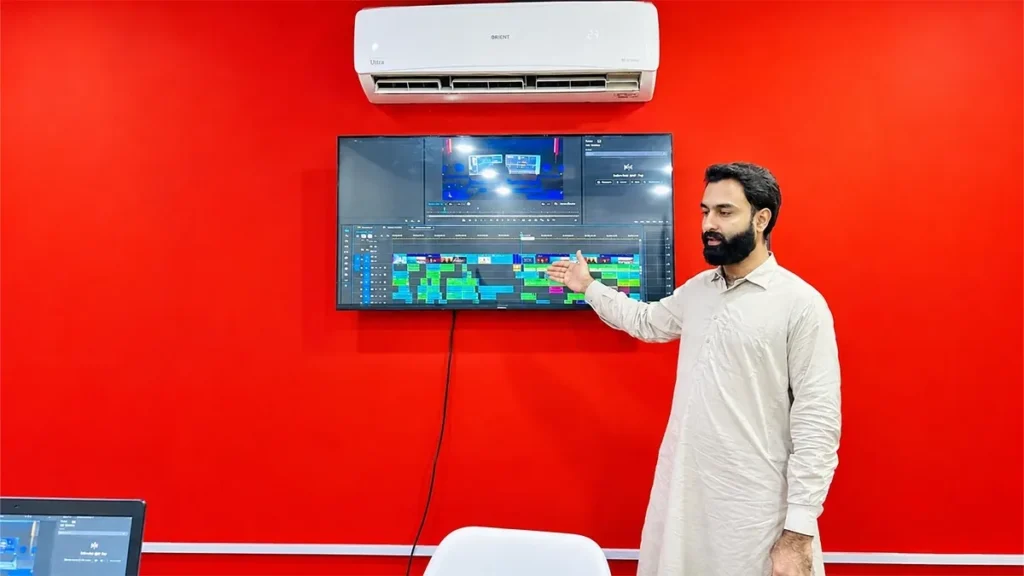
You can learn where every button in Premiere Pro lives in about two weeks. Then a client sends you forty minutes of raw footage and a two line brief, and you sit there with no idea where to cut.
That gap is what this post is about.
Short answer: a video editing course in Rawalpindi should teach four things, in this order. How to organise footage, how to control pacing, how to fix audio, and how to export and deliver to a client. Software is the smallest part of it. SkillsVerse runs these classes in person at the Satellite Town campus, on Premiere Pro, After Effects and Photoshop, using the same kind of projects Unity Films delivers to real clients next door.
What a Video Editing Course in Rawalpindi Actually Covers
My honest opinion: a video editing course in Rawalpindi is not a software course. You can learn where the buttons are in two weeks. What takes longer is judgement, knowing which take to keep and where a clip should end.
The order that works:
- Footage organisation and fast trimming
- Pacing and rhythm, where most of the value sits
- Audio, which viewers notice far more than picture
- Colour, corrected first and graded second
- Titles and motion, kept simple
- Export, delivery and client revisions
Effects are not a headline item. They come later, in small doses. The Video Editing course page lists how this is split week by week.
Video Editing Software You Learn: Premiere Pro, After Effects and Photoshop
We teach on Premiere Pro because that is what local agencies and YouTube channels use. After Effects for motion graphics, Photoshop for thumbnails.
Adobe’s published requirements for Premiere Pro list 8 GB RAM as minimum and 16 GB as recommended for HD. Most students walk in with 8 GB and assume they are stuck.
You are not. You need proxies, and almost nobody teaches this. Select your clips, right click, Proxy, Create Proxies, quarter resolution. You cut on the light copies, and Premiere swaps the full files back at export. This is the difference between “my laptop cannot handle it” and delivering on time.
If you are buying a machine: 16 GB RAM matters more than anything else, an SSD is not optional, a dedicated graphics card is nice but not essential. Do not take a loan for a laptop before you know you enjoy the work. There is a fuller breakdown in what a video editing laptop actually needs.
On CapCut, I am not going to talk it down. For short vertical work it is genuinely good. It breaks on long form and client revisions, because there is no real project file to hand back when the client wants version three. Keep CapCut for reels, learn a desktop timeline for everything else. Where each one stops working is worth knowing before you commit to either.
Three Video Editing Techniques That Improve Your Edits Immediately
J-cuts and L-cuts. Let the audio of the next shot start six to twelve frames before the picture cuts. The edit stops feeling like blocks. Do this through a whole interview and it feels professional without anything flashy happening.
High pass filter at 80 Hz. Almost every room here has a fan, an AC or road noise. A high pass filter on the voice track removes that rumble without thinning the voice. Do it before anything else in the audio chain.
Duck music properly. Beginners drop music 3 dB under a voice. It usually needs to sit 12 to 15 dB below dialogue. Check on a phone speaker, not headphones.
And one rule: correct before you grade. Waveform for exposure, RGB parade for white balance, then apply a look. Students who jump straight to a LUT end up orange in one shot and blue in the next.
YouTube Export Settings Most Beginners Get Wrong
You can cut a good video and destroy it in the export dialogue.
YouTube publishes its own recommended settings: MP4 container, H.264, AAC-LC audio at 48 kHz. These are the bitrates it recommends for standard dynamic range uploads.
| Resolution | 24, 25, 30 fps | 48, 50, 60 fps |
|---|---|---|
| 2160p (4K) | 35 to 45 Mbps | 53 to 68 Mbps |
| 1080p | 8 Mbps | 12 Mbps |
| 720p | 5 Mbps | 7.5 Mbps |
Source: YouTube Help Centre.
Two notes. Export at the frame rate the client shot at, not 24 fps because a tutorial said it looks cinematic. And going far above these numbers gives you a bigger file and a slower upload, not better quality after YouTube processes it.
Five Video Editing Mistakes I See Every Week
- Music fighting the voice. If the viewer has to concentrate to hear words, nothing else matters.
- A transition on every cut. Professional edits are mostly hard cuts.
- Judging audio on laptop speakers. Check on earphones and a phone speaker.
- Blaming the machine instead of the workflow. Nine times out of ten, no proxies.
- Burying the hook. A ten second logo animation is ten seconds of viewers leaving.
Real Client Project: How a Unity Films Channel Grew in Three Weeks
SkillsVerse runs from the same building as Unity Films, a YouTube management and production agency working since 2019 in Satellite Town. What you practise in class is the work going out to clients from the next room.
Take Wild Life Lounge, a channel we handle. The problem was the one every creator knows: growth had stalled. In June the channel finished the month on 8,700 views, 340 hours of watch time and 25 new subscribers.
We changed two things, and neither of them was an effect. Videos went from around 8 minutes to about 20, and the scripting style changed so the longer runtime actually held attention instead of padding it.
That forced a different kind of edit. More b-roll per line of narration. Cutting the picture slightly ahead of the line so the viewer sees the subject before hearing about it. Limiting how long any one shot sits on screen. A hook that has to keep working well past the first minute, not just the first ten seconds. The thumbnail built alongside the edit, not after, because the opening shot and the thumbnail have to agree.
Two to three weeks later, July closed on 149,200 views, 18,900 hours of watch time and 4,200 new subscribers.
One honest note about that jump, because the graph tells the real story. A single video took off and carried the month. That is usually how YouTube works. What the format and edit change did was give the algorithm something long enough and watchable enough to push once it decided to test the channel. You cannot schedule that moment. You can be ready for it.
Free YouTube Tutorials vs a Structured Video Editing Course
Free tutorials are excellent. I still learn from them. They solve a different problem.
| Free tutorials | Structured course | |
|---|---|---|
| Feedback | None. Nobody tells you your pacing is slow | Someone watches your timeline and says what is wrong |
| Order | Random, algorithm driven | Each skill sits on the previous one |
| Deadlines | None | Real briefs with real dates |
| Portfolio | Invent your own projects | Finish with pieces you can show |
Honest take: if you are disciplined and just need a specific tool, free tutorials are the right choice and you do not need a course at all. If you have been starting and stopping for six months, what you are missing is not information. It is sequence, feedback and a deadline.
One thing worth knowing before you start: the students who do best are the ones who practise outside class hours. The course gives you the structure, the hours on the timeline are what build the skill.
Video Editing Jobs and Clients in Rawalpindi and Islamabad
Students picture two options, Fiverr or nothing. The local market is bigger and easier to enter, and a lot of it overlaps with what our Graphic Design students get asked for too.
- Wedding videographers who shoot more than they can cut, especially in season. Here is what wedding video editing in Pakistan actually involves, from multicam sync to delivery.
- Real estate dealers in Bahria Town and DHA needing property walkthroughs
- Restaurants and cafés in F-7, F-10 and Saddar needing weekly reels
- Clothing brands selling on Instagram
- Daraz sellers needing clean product videos
- Clinics, schools and academies
- YouTube channels, local creators and faceless channels
Fiverr and Upwork are real, and we cover them. But most students’ first real project comes from someone within ten kilometres of the campus. The route from nothing to that first project is set out in how to become a video editor in Pakistan. If you plan to work internationally later, freelancers in Pakistan can register with the Pakistan Software Export Board.
For Parents: What to Expect From a Video Editing Course
In most families here the parent is part of the decision, so this part is for you.
Editing has a visible output. Within a few weeks you can look at your child’s work and judge it yourself, without understanding the software. That is rare in fields where it is hard to tell if money is being well spent.
Classes are in person at Satellite Town, not online only. There is a physical campus, a named instructor and a working production company in the same building. You are welcome to visit before deciding.
What we will not do is promise a guaranteed job, because that depends on how much your child practises and the quality of work they put in front of clients. What we can show you is the coursework and the projects students finish with.
Video Editing Course in Rawalpindi: Frequently Asked Questions
Is this video editing course in Rawalpindi suitable for complete beginners?
Yes. We assume you have never opened editing software. CapCut experience helps slightly at the start, but it evens out.
Are classes online or in person?
In person only, at Satellite Town, Rawalpindi. Students travelling from Islamabad attend the same on campus classes.
Do I need my own laptop to join?
No. Practice happens on campus systems during class. Machine time at home speeds you up, but it is not required to start.
Can I get freelance work after this course?
Many students do, and it is one of the main reasons people join. What decides it is a portfolio of finished work and delivering on time. We cover profile setup and handling your first client, and we are happy to look at your profile after the course too.
Why Students Choose SkillsVerse for Video Editing
A few plain reasons, and nothing you cannot check yourself.
We run our video editing course in Rawalpindi in person at the Satellite Town campus, with one named instructor rather than a rotating panel. You know who is teaching you before you enrol. Unity Films works out of the same building, so the projects you practise on are the same kind of work going out to real clients from the next room, not exercise files downloaded from a tutorial site. Students travel in from across Rawalpindi and Islamabad for the same on campus sessions.
And you are welcome to come and see the setup before paying anything. That is usually the fastest way to judge whether a place is right for you.
Final Thoughts
Clients do not come back for effects. They come back for a clean cut, clear audio and delivery on the day you promised. That is good news, because all three are learnable by anyone willing to practise.
A video editing course in Rawalpindi should give you three things: sequence, feedback and deadlines. Everything else you can genuinely find free, and I would rather say that than pretend otherwise.
See the full syllabus. The Video Editing course page has the week by week outline, software covered and the projects you finish with.
Want to see a class first? Message SkillsVerse on WhatsApp and we will arrange a demo session at the Satellite Town campus. You can watch a real class before deciding anything.
Timings and the next batch. Get in touch here and we will send you the current details.
Still choosing a field? Graphic Design, Web Development and Digital Marketing run from the same SkillsVerse campus, so come in and we will talk through which one fits you.
We post editing tips, breakdowns and student work on Instagram at @skillsverse.pk and on our Facebook page. Feel free to follow along, even if you never take a class with us.
About the Author
Mr. Hasnain teaches the video editing course at SkillsVerse, Satellite Town, Rawalpindi. He has four years of professional editing experience on live client projects at Unity Films, including the channel work described in this post. He can usually be found in the editing bay next to the classroom.