
A boutique owner in Saddar posts four times a week and makes everything in Canva. A designer tells her she should be using Photoshop. She tries it for an evening, gives up, and goes back to Canva.
She was right the first time. For what she is doing, Canva is the correct tool, and switching would cost her hours a week for no gain she would notice.
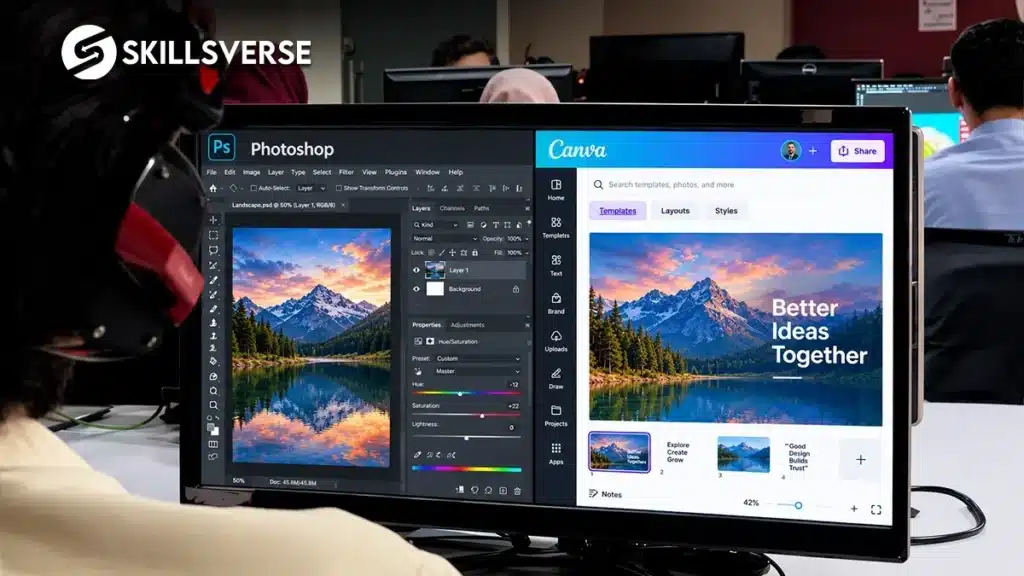
Short answer: Canva vs Photoshop depends entirely on where the file ends up. Canva is genuinely good for weekly social posts, quick stories and simple promotions. It breaks down on logos, anything going to a printing press, large format, and photo work that needs real editing. A small business should use Canva for weekly content and hire a designer for the things that outlast the week.
Canva vs Photoshop: What Each One Is Built For
| Canva | Photoshop | |
|---|---|---|
| Weekly social posts | Excellent, fastest option | Overkill |
| Stories and quick promos | Excellent | Slow |
| Real photo editing | Very limited | What it exists for |
| Product retouching | Basic | Full control |
| Logo design | Poor. Template based, not vector first | Also wrong tool, use Illustrator or CorelDRAW |
| Press ready files | Not reliable | Possible, though layout tools suit it better |
| Large format | Not suitable | Workable |
| Learning time | An afternoon | Weeks |
Notice that the logo row rules out both. Logos belong in vector software, which is a separate conversation and a common reason small businesses end up with a logo that cannot be printed at sign size.
Where Canva Genuinely Wins
Speed, and the fact that a non-designer can use it.
A café posting a daily special does not need a designer on retainer. A clinic announcing new timings does not need a design brief. A clothing page running a sale needs the post up this afternoon, not after two rounds of revisions.
Canva handles all of that faster than anything else, and for content that lives for twenty four hours, speed is worth more than polish. A designer who tells a small business to stop using Canva for this is giving advice that costs the client money.
Where It Breaks
Anything going to a press. Canva’s print output is not built around what a local press needs: a CDR or a properly prepared press file with 3 mm bleed, CMYK set from the start, and fonts converted to curves. Presses around Bank Road and Saddar will usually ask you for something they can actually open and work with, prepared as a proper print ready file.
Logos. A logo has to work at sign size and at favicon size, in one colour, on dark backgrounds, embroidered on a shirt. That requires clean vector artwork, not a template arrangement. Businesses that build a logo in Canva usually discover the problem a year later when they order a signboard.
Serious photo work. Removing a background cleanly, fixing a product shot, matching lighting across a catalogue. Adobe’s published requirements for Photoshop list 8 GB of RAM as the minimum and 16 GB as recommended, which gives a sense of how much heavier that work is.
Looking different from everyone else. Canva’s templates are used by millions of people, and in a local market where several shops in the same street are posting Canva content, the sameness becomes visible.
The Practical Split for a Small Business
Use Canva for the content that lives for a week: daily posts, stories, quick offers, simple announcements.
Get a designer for the things that outlive it: your logo, your signboard, your menu, your packaging, your admission flyer, your product catalogue. Those get seen for years, printed at size, and judged by people who have never seen your Instagram.
The split saves money in both directions. You are not paying a designer for a Tuesday post, and you are not printing a thousand menus from a file that was never built for ink.
Canva vs Photoshop: Frequently Asked Questions
Can I run my business entirely on Canva?
For social content, largely yes. For anything printed or anything that represents the brand long term, you will hit the limits quickly.
Is Canva unprofessional?
No. Using the wrong tool for the job is unprofessional. Using Canva for a weekly post is simply efficient.
Does SkillsVerse teach Canva?
Yes, as part of the graphic design course, alongside Photoshop, Illustrator and CorelDRAW. Knowing when to reach for the quick tool is part of the skill.
What should I use for a logo?
Vector software, either Illustrator or CorelDRAW, depending on whether the logo is headed for digital work or for local presses and signboard shops.
Can Canva files be sent to a printer?
Sometimes, with mixed results. Ask your press what they want first. Most in Rawalpindi will ask for a CDR or a properly prepared press file.
Why Students Choose SkillsVerse for Graphic Design
We teach the full set, including when a quick tool is the right answer, because real client work is a mix. Classes run in person at the Satellite Town campus in Rawalpindi with one named instructor, press-ready output is taught properly, and Unity Films works from the same building so the briefs resemble live jobs.
Come and see the setup before deciding anything.
Final Thoughts
There is no winner here. There is a weekly post and there is a signboard, and they are not the same job.
Small businesses that understand the split spend less and look better. Designers learn the whole range in a graphic designing course in Rawalpindi. Designers who understand it stop losing work they were never meant to quote on.
See the full syllabus. The Graphic Design course page has the week by week outline.
Want to see a class first? Message SkillsVerse on WhatsApp and we will arrange a demo session at the Satellite Town campus.
Timings and the next batch. Get in touch here and we will send you the current details.
We post design breakdowns and student work on Instagram at @skillsverse.pk and on our Facebook page.
About the Author
Mr. Mubashir teaches the graphic design course at SkillsVerse, Satellite Town, Rawalpindi, with four years of professional design experience on client branding, print and social media projects at Unity Films.